STRATA FEATURES
Below is a detailed feature list to help you get a better idea of what our platform can do.
Core
Bigger, faster, better, shinier!
Work on multiple records simultaneously.
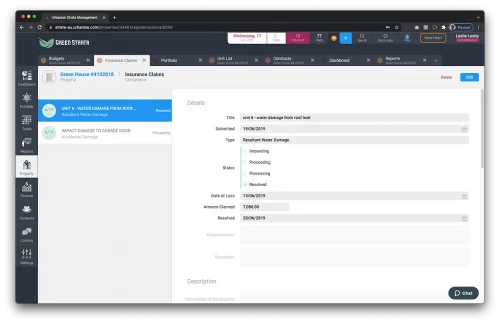
Use “tabs” to work in multiple properties or datasets at the same time. Look up an owner’s levy position while updating insurance for a different property.
Multi-task like a boss.
Google Maps Integration
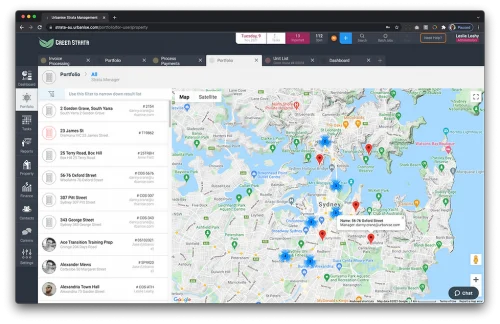
Visualise your portfolio like never before with each property you manage shown on a Google Map, directly in the Urbanise Strata platform. Filter the results by manager, click on pins to see who the assigned manager is and even zoom right in to Street View without ever leaving the platform.
Everyone loves a good map.
Banking
Additional security.
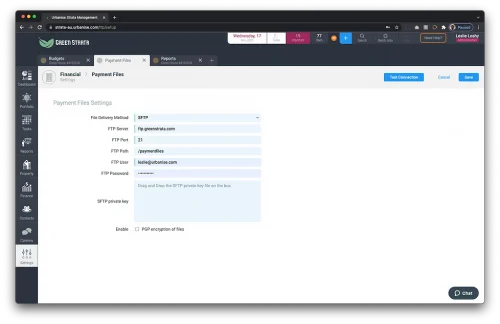
SFTP Delivery of Payment Files
Most banks require payment files (such as “ABA” files used in Australia) to be generated as raw text, meaning they can be edited after they are created. To help mitigate this risk, Urbanise Strata allows you to have the files sent to a secure location when generated. This way, your staff don’t have to download the file.
Security is important.
Finance
More flexibility, more automation.
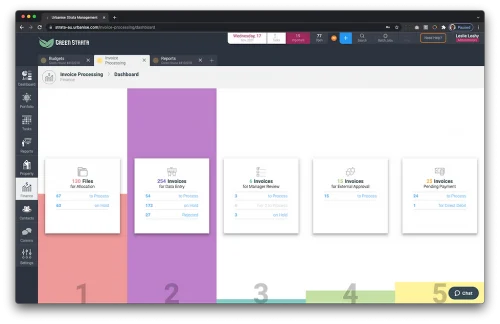
High volume invoice processing.
Manage the full lifecycle of an invoice quickly and efficiently. Drag and drop PDF invoices to upload them, enter the data by quickly tabbing through fields and configure multi-tiered approval processes. See how your supplier payments are progressing with a simple dashboard.
Pay your suppliers quickly and easily.
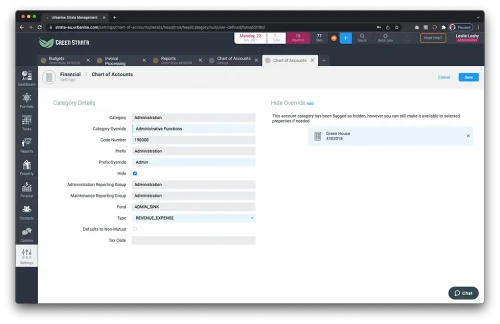
Renaming of head categories.
Flexibility is the key to the chart of accounts in Urbanise Strata. Add as many sub-categories as required, rename head categories to better suit your needs and even create user defined categories for specific properties.
You’re in control.
Levies
“Set and forget” levies and arrears.
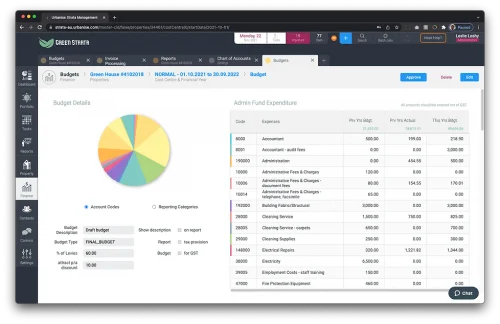
Levies issued directly from budgets.
Data from budgets flows directly to the levy system once the budget is approved, meaning your levies are always in line with budgets. You can even control which users can approve budgets to create an additional layer of approvals before levies are sent.
Communication
Automate your communication.
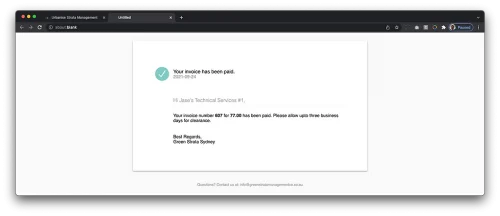
Emailing suppliers
When creating a supplier, an email is sent to them confirming their details, a further email is sent each time an invoice is allocated to a property in the Invoice Processing module. A final invoice is sent when the payment file (ABA, BPAY etc) is created advising them of payment.
Keep your suppliers in the loop without lifting a finger.
Contacts
Use a global search to find anyone.
Find anyone, quickly
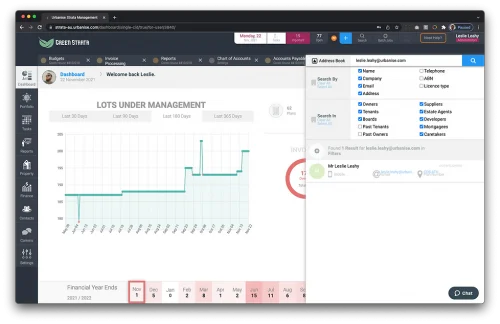
The address book search allows you to find anyone by name, phone number, email address or even ABN. It’s super fast, very easy and available on every screen in the system.
Look, and you shall find.
Files
Drag-n-drop files to attach them to records.
Download all property files
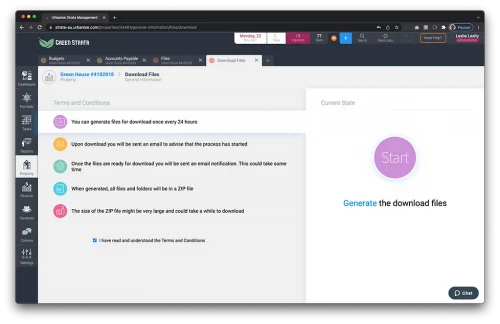
Maybe you’re doing a handover, or just want to have a back-up. Whatever your motivation, downloading all files for a property is simple – even if there are gigabytes of data.
Compliance
Track compliance of lifts, pools and more.
Building compliance
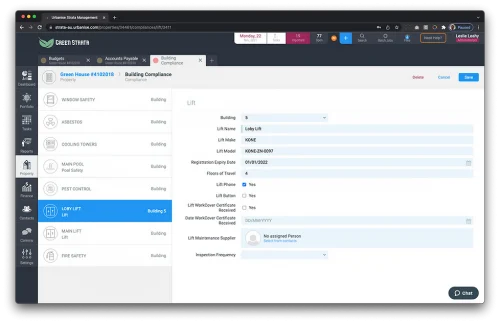
Store building compliance details for items such as asbestos, balcony safety, electrical safety, fire safety, lifts, pest control, pools and more. Attach certificates, photos and reports. It will even create tasks to remind you to update your compliance data.
Management Agreements
Increase your base fees, and disbursements automatically according to your agreement.
Automatically increase your fees
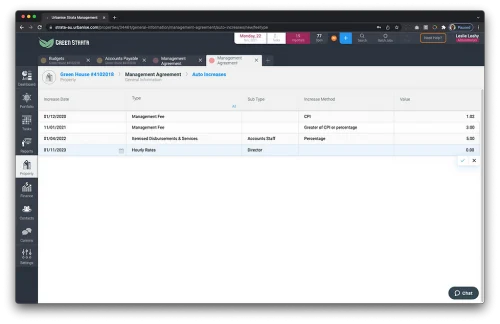
Set your fee increases to align with your management agreement, increase the base management fee, hourly rates or disbursements by CPI, a percentage – or just to a set value. It’s super flexible.
Don’t leave money on the table.
Reports
Schedule reports to send to your owners automatically.
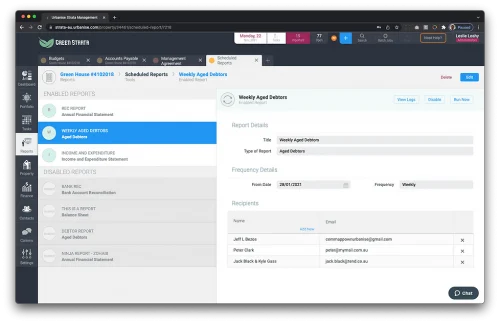
Scheduled reports
Send reports automatically on a predefined schedule: Annually, quarterly, monthly, weekly – as many, and as often as you need to keep your clients informed.
Increase your service, not your work load.
Task Management
Link tasks together to create dependencies.
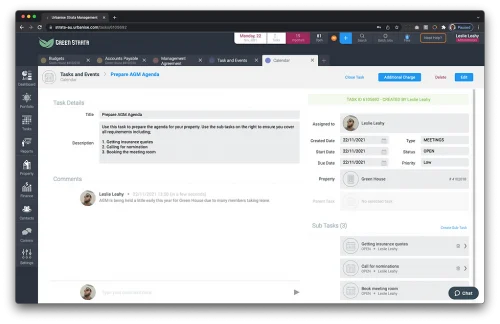
Task management
We’ve gone all out on the task management system.
Link tasks together. Parent tasks won’t close until all the sub-tasks are complete. Add comments on tasks to collaborate with your team, or add attachments by dropping files in the browser.
Because managing your tasks shouldn’t be a chore.
CRM
Record detailed notes against properties and people.
Keep track of everything
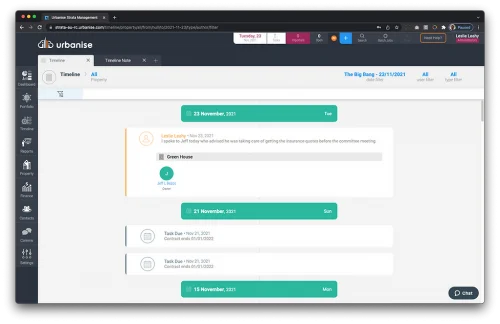
A good CRM allows you to keep notes, and attach files against contacts. We’ve taken it to the next level, allowing you to create notes against people or places, and set them as “warnings” that will appear when viewing records – or even screens that might be related to that record.
Visualise your notes in a logical “Timeline” that you can search, filter or just scroll through. We even show system events (task due dates, insurance expiries, levy periods and more) in the Timeline so you get a full view of what’s happening in your portfolio.
It’s about time.
Maintenance
Ensure you’re only using licensed suppliers.
All your maintenance in one place
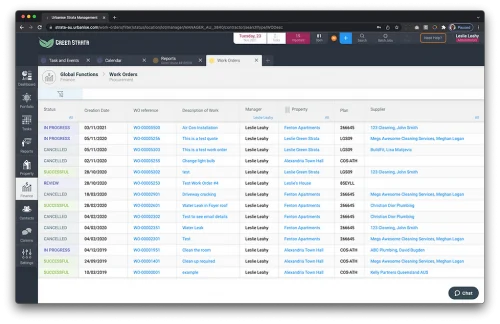
View all quotes and work orders for your portfolio in one place. Use powerful search and filters to find the specific job you’re looking for.
Registers
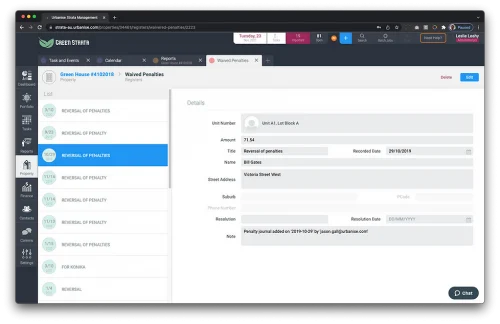
Let the platform populate the Waived Penalties register for you.
Automate your penalties register
Every time you use the “Penalty Journal” feature in a Unit Ledger, a record is automatically added to the Waived Penalties register for you. It will even record when the entry was made and by who.
No time penalties here.
Security
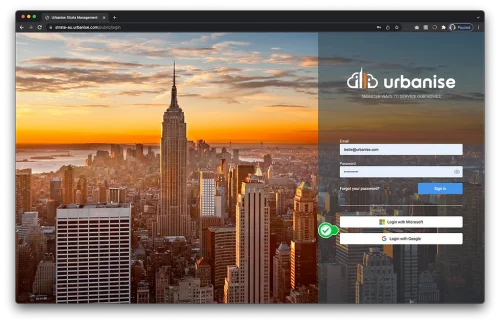
Use your Microsoft Active Directory accounts to access the platform.
Single Sign-On
Improve security and reduce the number of passwords you manage by using your Microsoft Active Directory, or Google username and password to access Urbanise Strata.
One less password to remember.
Integrations
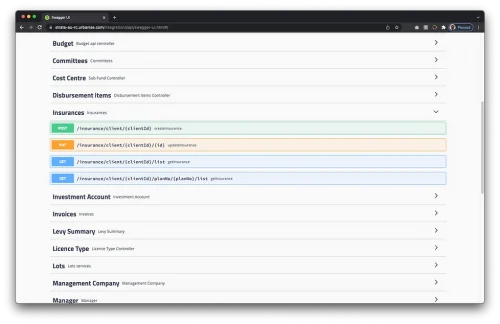
Use our public REST API’s to connect to your favourite applications.
We play nicely with others
Want to share your data with your favourite CRM system? Maybe you want to integrate with your insurance broker, or create tasks in Urbanise Strata from a workflow system.
With our API’s, the cloud’s the limit.